AI on your Mac
Run AI on the Mac you already own.
Stratumus for Mac turns a Mac mini, MacBook or iMac into your own AI server. It sets everything up itself, with no Terminal, and you ask it from your iPhone, wherever you are.
One app, any Apple silicon Mac
Use the Mac you have. More memory means room for bigger models.
The one under the desk
Always on and quiet, a Mac mini makes a natural home AI server for the whole family.
The one on the shelf
An older MacBook that mostly sits closed can answer your questions instead.
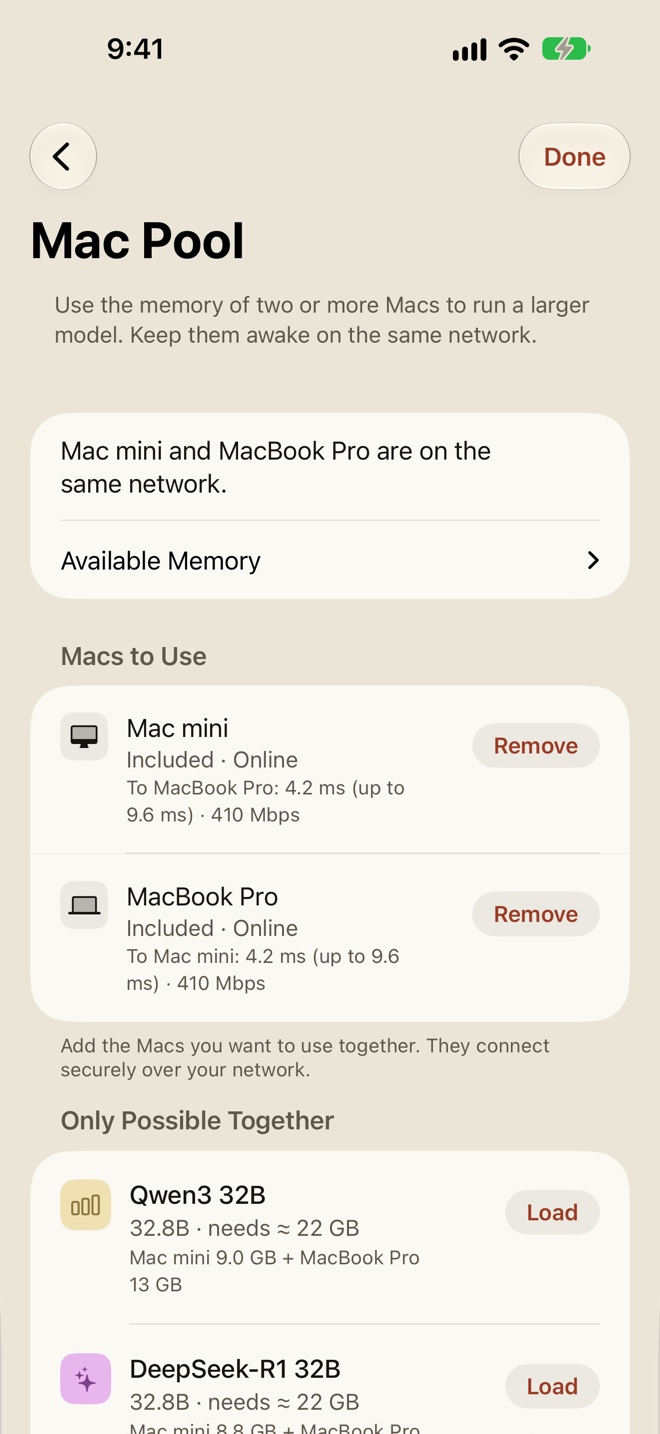
Several Macs, one bigger AI
Macs on the same Wi‑Fi can share their memory to run one model too big for any one of them.
Set it up in a few minutes
No Terminal, no settings files, no model files to find.
- Get Stratumus for MacIt’s free at stratumus.com/mac, for Macs with Apple silicon (M1 or later) on macOS 14 or later.
- Let it set itself upIt gets its own built-in assistant ready, sized to your Mac’s memory.
- Type its code into your iPhoneYour Mac shows a setup code; type it into Stratumus on your iPhone. Then ask from anywhere.
What it is, said plainly
What your Mac does, and what it doesn’t.
Your Mac does
- Writes the answers with open models running on the Mac itself.
- Picks a model that fits, with more on the Models page.
- Shares its memory with your other Macs in a Mac Pool.
Good to know
- It needs to be awake to answer. Your iPhone can answer small questions itself meanwhile.
- Your saved chats are kept in your account without end-to-end encryption.
- Mac Pool is for size, not speed. Speed depends on the model, your Macs and your Wi‑Fi.
Questions people ask
Which Macs work?
Any Mac with Apple silicon (M1 or later) on macOS 14 or later: Mac mini, MacBook Air, MacBook Pro, iMac, Mac Studio or Mac Pro.
Do I need Terminal, Ollama or LM Studio?
No. Stratumus for Mac sets up its own built-in assistant. If you already use Ollama or oMLX, it can answer with those too. See Stratumus and Ollama.
Which AI models can my Mac run?
Open models from several makers, in sizes that fit your Mac’s memory. The Models page lists each one with its download size and the memory it needs.
Can I use my Mac’s AI away from home?
Yes. Your iPhone reaches your Mac over the internet, so you can ask it from anywhere. See Your Mac’s AI on iPhone.
Can several Macs run one bigger model?
Yes, with Mac Pool. Macs with Apple silicon on the same Wi‑Fi share their memory to run one model too big for any one of them. It’s built on the open-source llama.cpp project.
What if my Mac is asleep?
If you’ve downloaded an assistant to your iPhone, your iPhone answers by itself and says so. Otherwise the question waits for your Mac.
Is it free?
Yes. Stratumus is free, with no ads.