Your Mac, on iPhone
Your Mac’s AI, in your pocket.
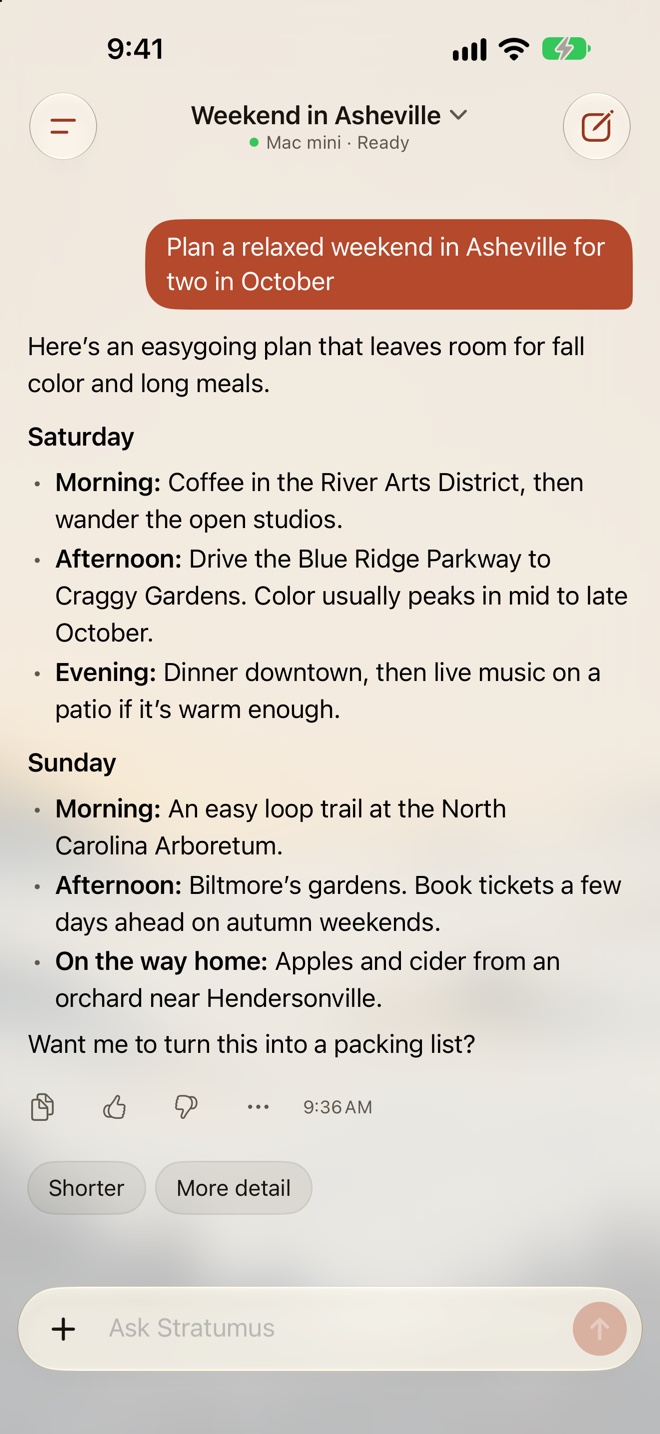
Stratumus lets your iPhone ask the AI running on your own Mac, at home or across town. Type one code to connect them. There’s nothing to set up on your router.
Why ask your Mac
Your iPhone is quick for small questions. Your Mac has room for much bigger ones.
More room than a phone
A Mac’s memory holds larger models, for longer answers and harder questions.
Home or away
Your iPhone reaches your Mac over the internet, so it works from the office, the car or a trip.
No cloud AI
Your own Mac writes the answer. There are no AI models or AI company keys on our server.
Connect them once
About as hard as pairing headphones.
- Get both appsStratumus for iPhone is free on the App Store. Stratumus for Mac is free at stratumus.com/mac.
- Type the Mac’s setup codeYour Mac shows a short code. Type it into your iPhone and they’re connected to your account.
- AskPick your Mac in the chat, or let Stratumus choose. The answer says which device wrote it.
How it reaches your Mac, said plainly
No open ports and no router settings.
What happens
- Your question travels to your Mac over an encrypted connection, through our server.
- Your Mac writes the answer and sends it back the same way.
- Nothing listens on your home network for strangers to find.
Good to know
- Your Mac needs to be awake and online to answer.
- Your saved chats are kept in your account without end-to-end encryption.
- Offline, your iPhone can answer by itself with an assistant you downloaded.
Questions people ask
Do I need a VPN, Tailscale or port forwarding?
No. Your iPhone and Mac connect through your Stratumus account, so there’s nothing to set up on your router.
Does it work away from home?
Yes. Your iPhone reaches your Mac over the internet, wherever you are.
Does my question go through your server?
Yes, on its way to your Mac, over an encrypted connection. Saved chats are kept in your account without end-to-end encryption. The Privacy Policy has the details.
What if my Mac is asleep?
If you’ve downloaded an assistant to your iPhone, your iPhone answers by itself and says so. Otherwise the question waits for your Mac, and you can be notified when the answer is ready.
Can I connect more than one Mac?
Yes. Set up Stratumus for Mac on each one. Macs on the same Wi‑Fi can also share one bigger model with Mac Pool.
Does it work on iPad?
Yes. Stratumus for iPhone runs on iPad too.
Is it free?
Yes. Stratumus is free, with no ads.